How it works
Follow one order through Skuu .
Your customers order, your team picks and scans, your drivers deliver and your books update. Here's what that looks like inside
Order once. Everyone sees it.
Follow one order from a store's phone at night to the invoice in QuickBooks the next morning. Every step below happens without anyone retyping a thing.
19:42 p.m.Lakeside Deli
The store taps Reorder
6 chips · 4 water · 2 trail mix · $642.00
S : Priced it from the store's own price list and checked the case minimum.kuu 29:42 p.m.
S kuu The order is held and scheduled
12 cases reserved · Route 3 · Tue
S : Held the stock so nobody else can sell it, and put it on tomorrow's route.kuu 36:10 a.m.Warehouse
The picker scans every case
Aisle A-12 · 18 of 20 scanned
S : Sorted the pick list by aisle and flagged the wrong flavor before it hit the truck.kuu 410:25 a.m.Driver
Delivered, signed, paid
Stop 3 of 6 · open balance $210
S : Showed what the store owes, took the signature and logged the check.kuu 510:26 a.m.QuickBooks
The invoice writes itself
Invoice #1093 · payment applied
S : Sent the invoice and the payment to QuickBooks. Nobody typed it.kuu 610:26 a.m.Owner
The numbers update
Route 3 today · $3,940 · 31% margin
S : Added the sale to today's profit by store, route and product.kuu
The portal your office runs on.
Click through it. Orders, routes, profit and the storefront your customers order from, all from one login. Sample data.
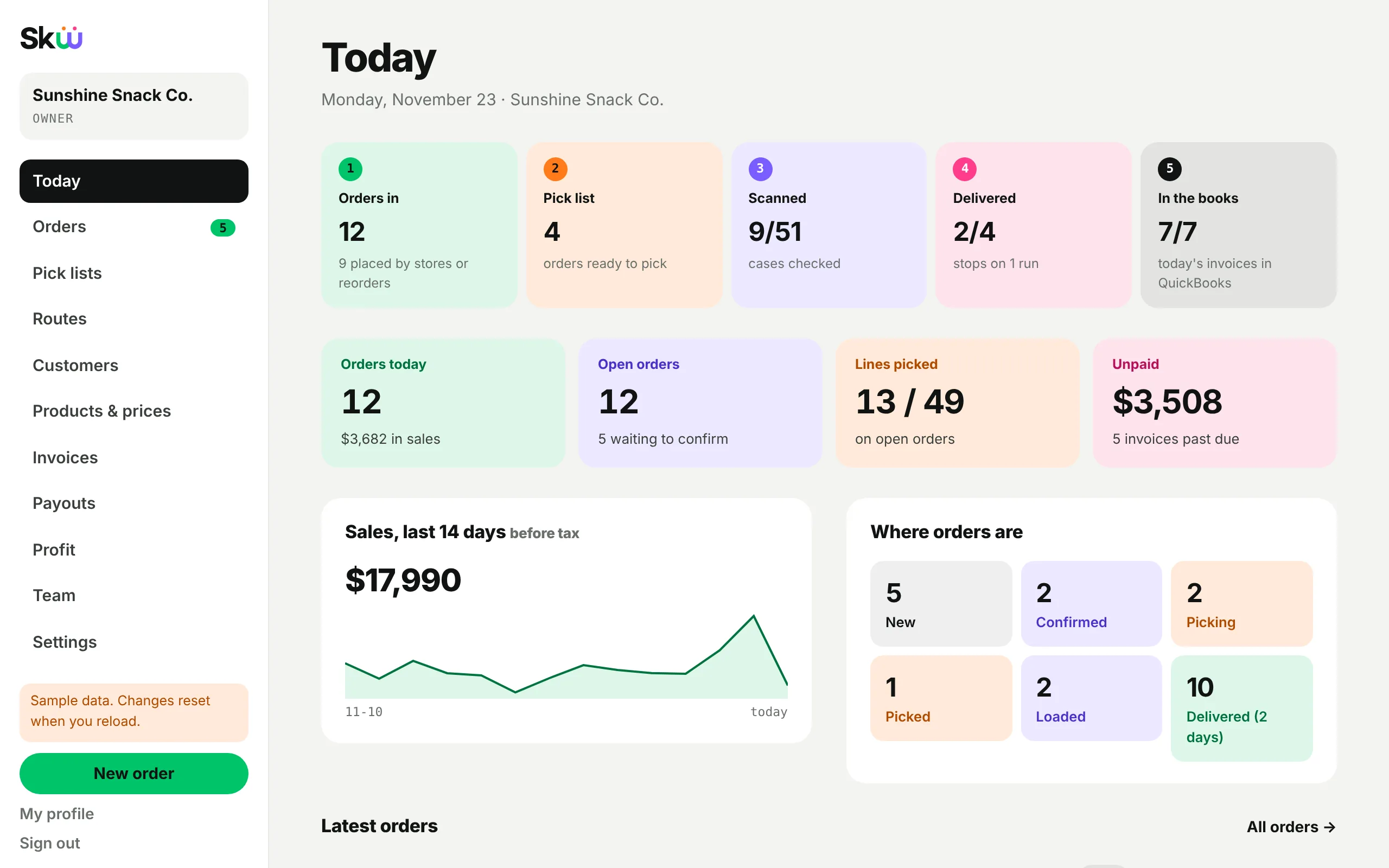
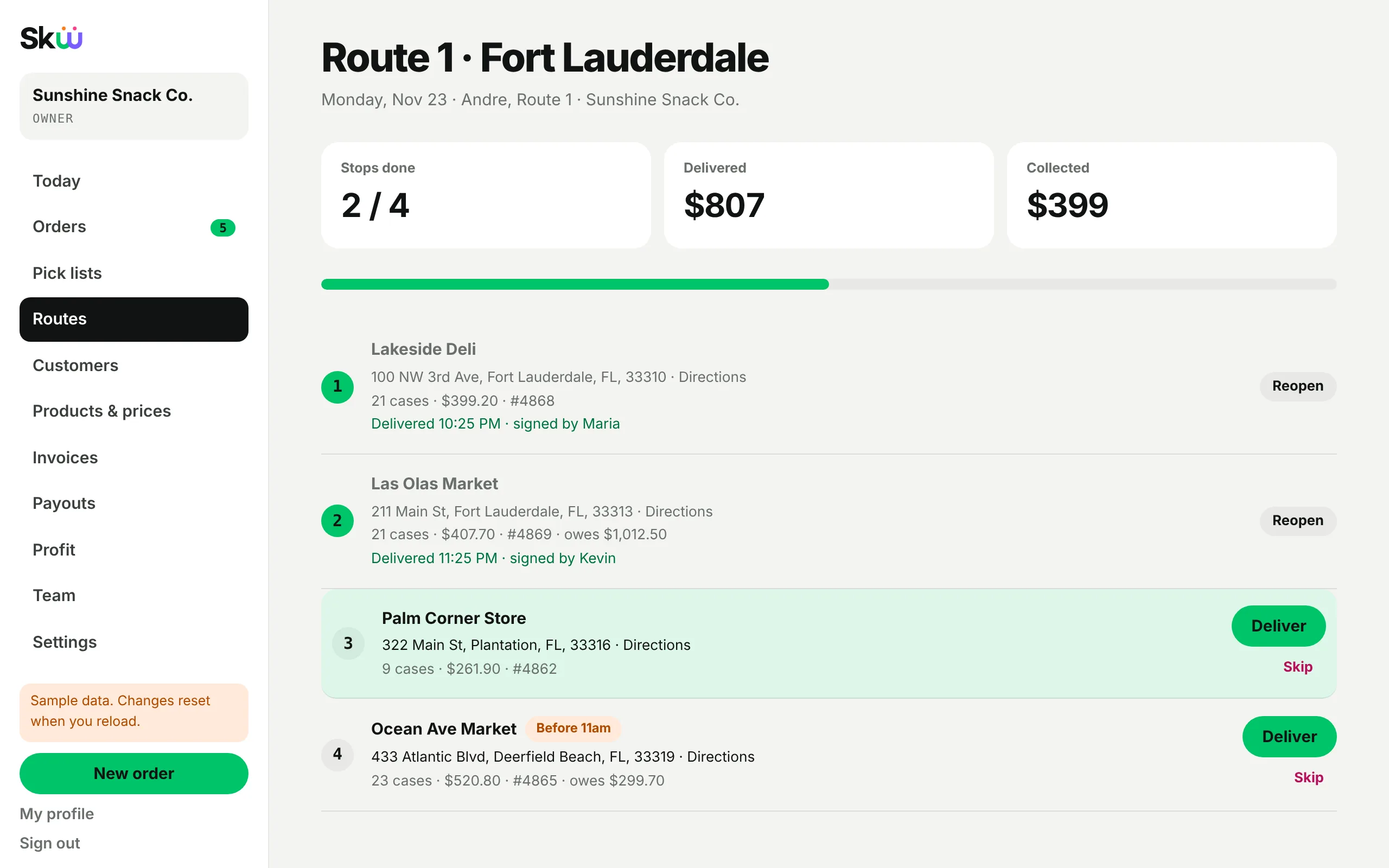
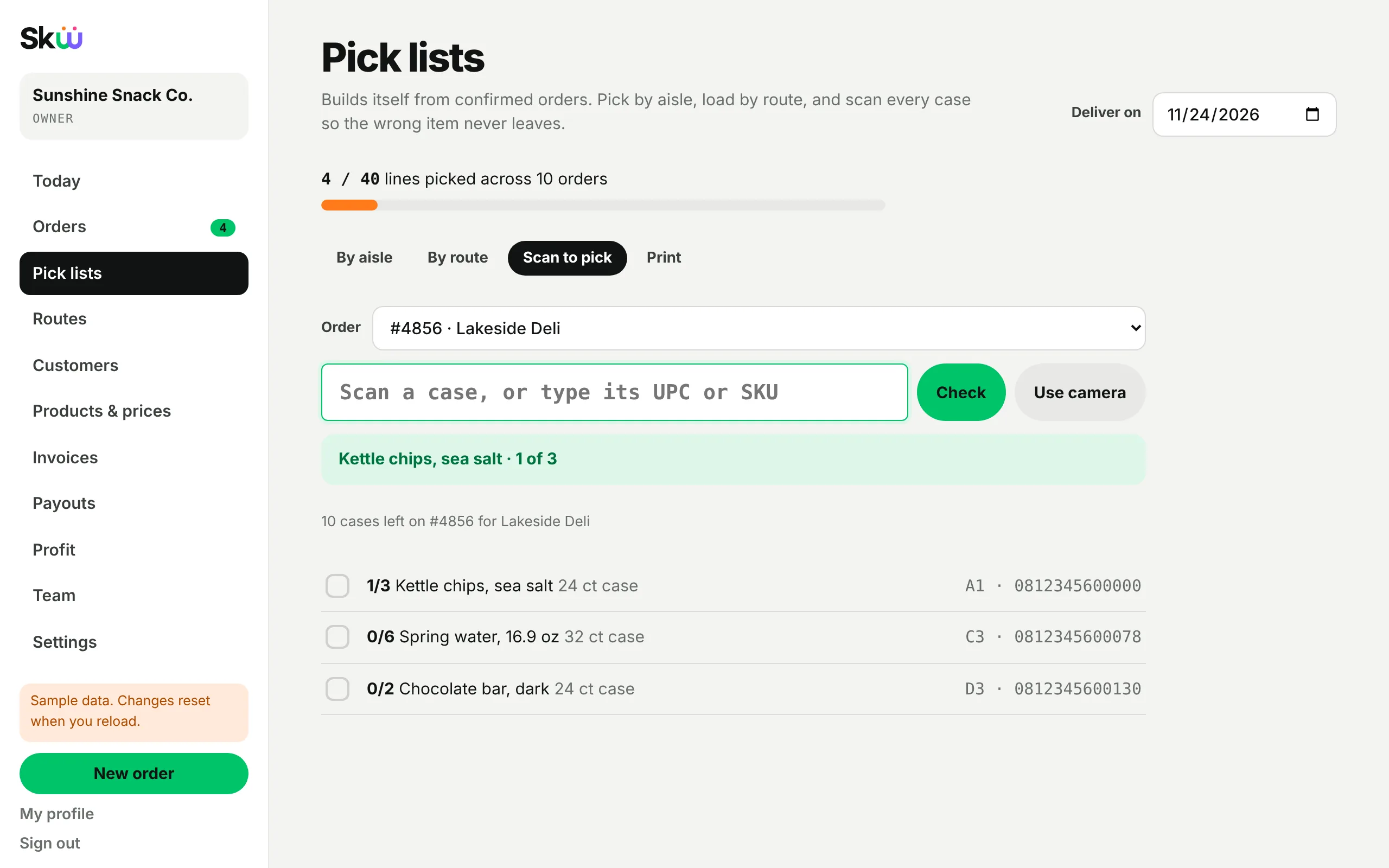
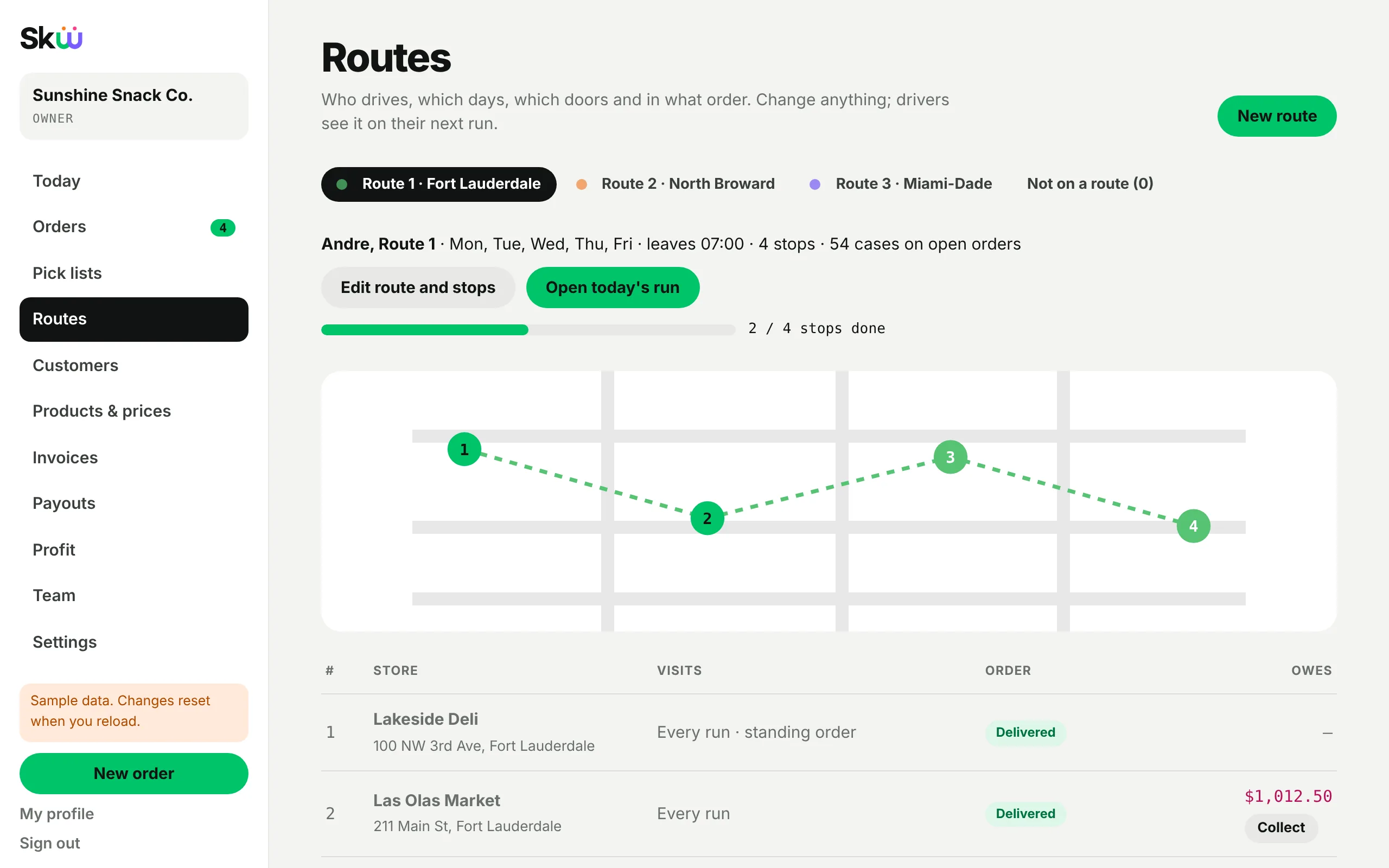
The real app with sample data. Open the live demo →
Each step, up close.
Open any step to see the screen, what your team does and what
- 01Orders come in on their own.Every store gets its own wholesale account with its own prices. They browse your catalog, reorder last week's order in two taps and check out. No texts, no calls, no retyping.
- 02The pick list builds itself.When the order cutoff hits,
S groups the day's orders by route and sorts every line by aisle and shelf. Your pickers walk the warehouse once, and trucks load in delivery order.kuu - 03Wrong items stop at the shelf.Pickers scan every case with the camera on their phone. Green means right. Red means stop. Mistakes get caught in the warehouse, not at the customer's back door.
- 04Every stop, in order, on the phone.Drivers open their route, tap to navigate and capture a signature or photo at every drop. You see each delivery land in real time, and so do your customers.
- 05The books update themselves.The moment an order is delivered, the invoice lands in QuickBooks with the right customer, items, prices and credits. Your accountant keeps working the way they do today.
Plays well with what you already use.
Your books, your payments, your store and the phones your team already carries. We connect it all and keep it running, so you never touch the tech.
- QuickBooks
- Stripe
- Shopify
- Amazon
- Walmart
- eBay
- Google Maps
- Excel & CSV
- Clover
- UPS
- FedEx
- WooCommerce
- Google Sheets
- iPhone
- Android
- Google Analytics
- Cloudflare
Questions distributors ask us.
Still wondering about something? Ask a person.
(561) 595-3346Monday to Friday, 9 a.m. to 5 p.m. Eastern
Do my drivers and pickers need special scanners?
No. It runs on the phones your team already carries. The camera reads barcodes, so there is no hardware to buy.
Does it work with QuickBooks?
Yes. Orders turn into invoices and sync to QuickBooks automatically, so your books stay current without double entry.
Can my customers order on their phones?
Yes. Each customer gets their own wholesale account where they browse your catalog, see their prices and reorder in a couple of taps.
Who sets it up?
We do. We load your products, customers, routes and QuickBooks connection, then train your team. You get a launch date on your first call.
What happens to my data?
It's yours. Your customer, product and order data belongs to you, and you can export it whenever you want.